Inspections and audits.
No paper and no signal needed: Inspecta is a web and Android app for inspections and audits in any area. Fill in the checklist on your phone and get the PDF report with photos and signatures when you finish.
Try it: tap «Fail».
Summary
Inspecta is inspection and audit software for field teams in any area that needs traceability: safety, quality, maintenance, food safety, environment and more. Use it to build checklists, fill them in on a phone with photos, signatures and location, get the PDF report and follow up the corrective actions for every finding.
- Where it works
- In the browser on any computer or phone, and as an Android app.
- No signal
- Inspections are saved on the device and sync when the connection is back.
- Languages
- English and Spanish, with dark and light themes.
- Price
- Free 20-day trial; Pro from $22.40 per month, taxes included.
From finding to action
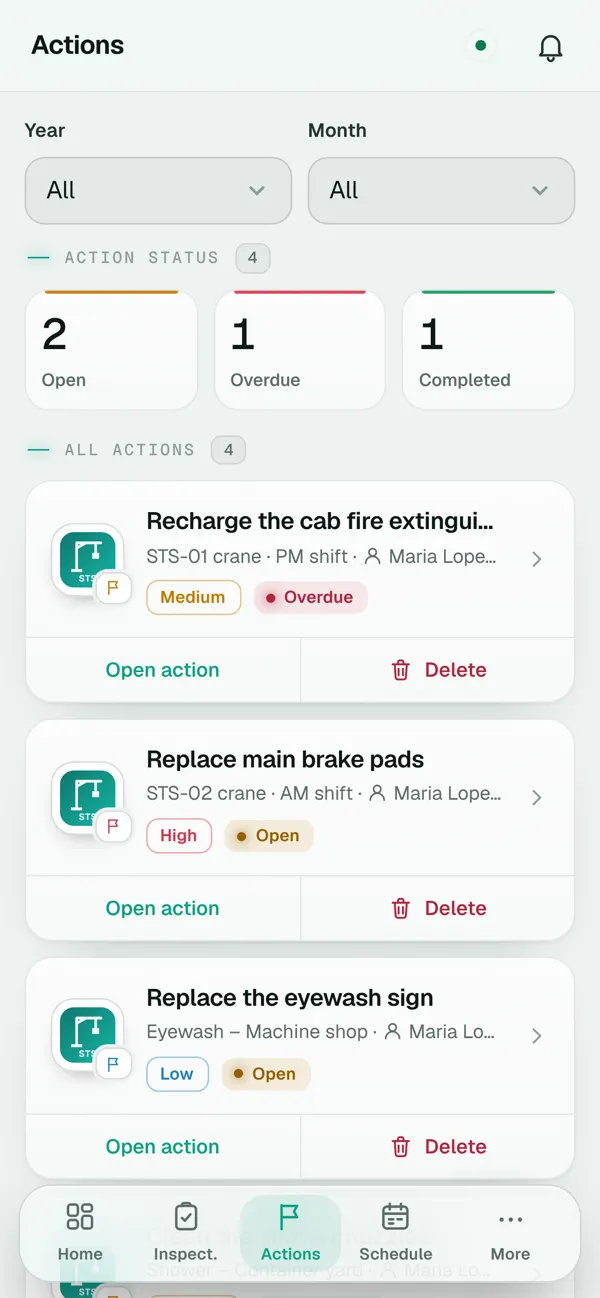
This is how it looks on a phone: the inspector marks the brakes as Fail, writes a note and creates the action «Replace main brake pads» right there, with owner, due date and high priority. The owner gets an email notice.
What Inspecta looks like
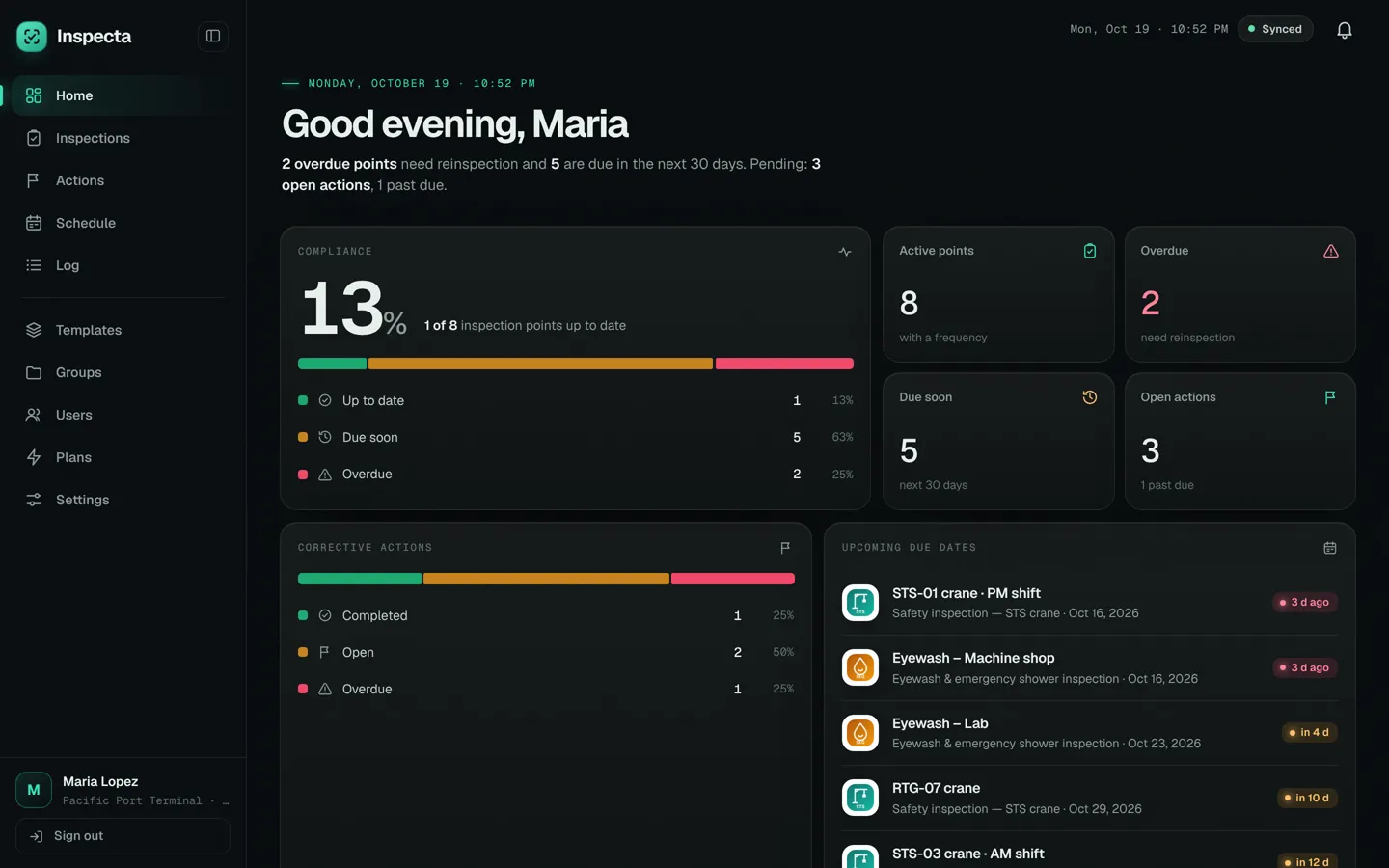
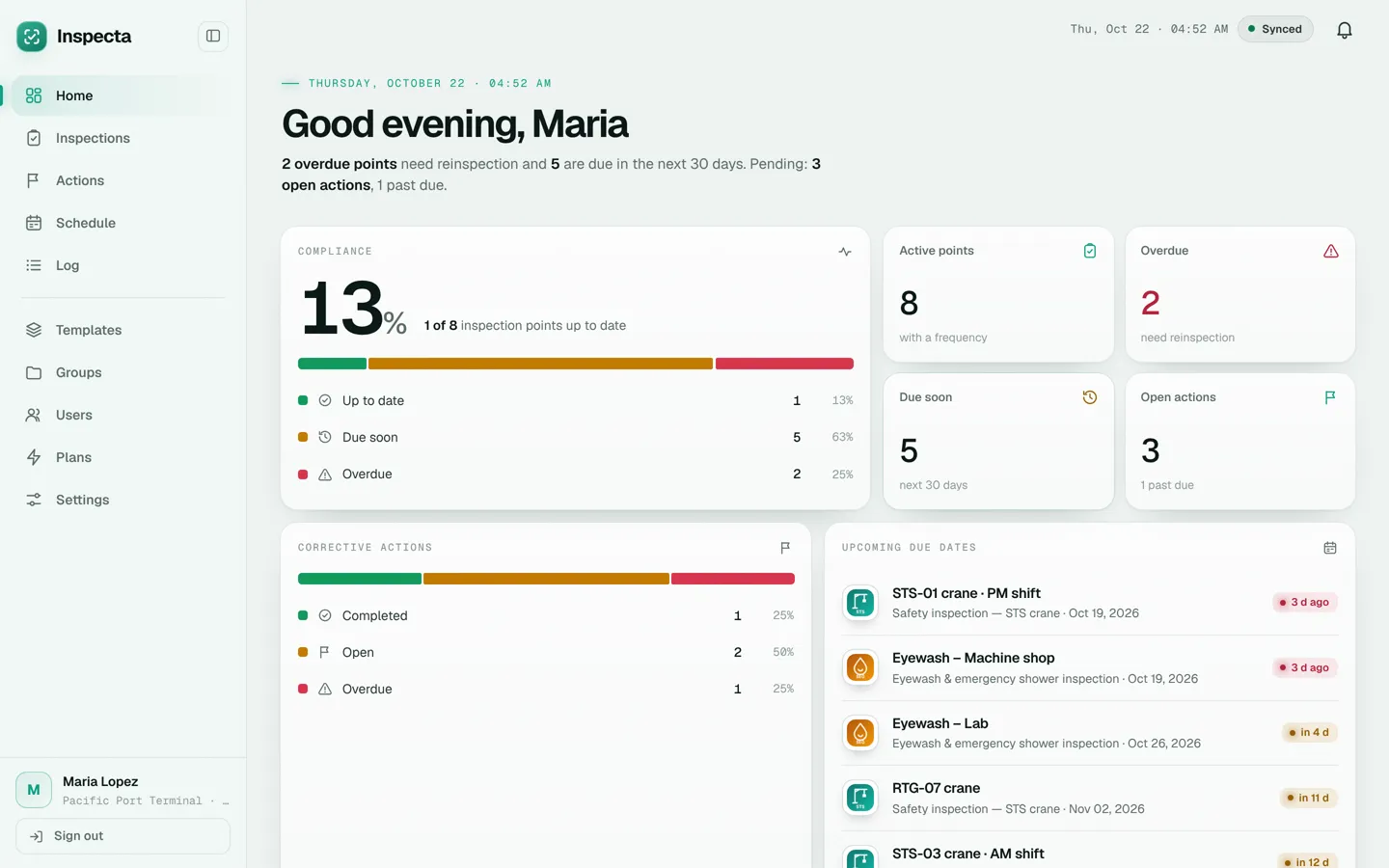
Today's dashboardInspection point compliance, open actions and what's due in the next 30 days. 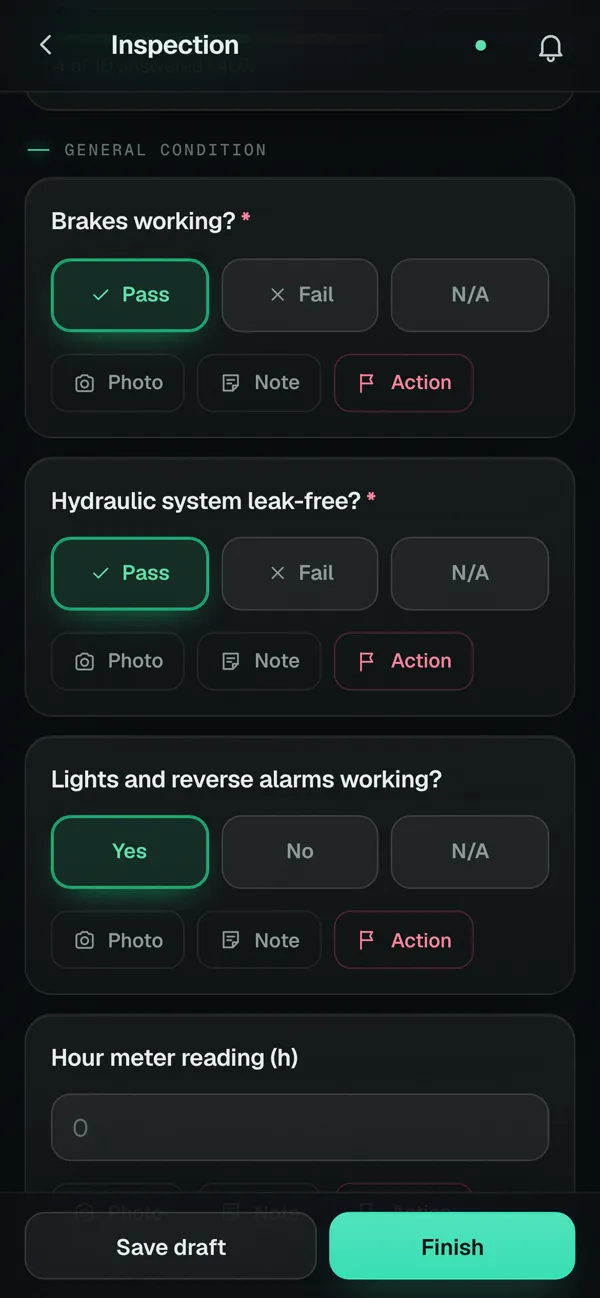
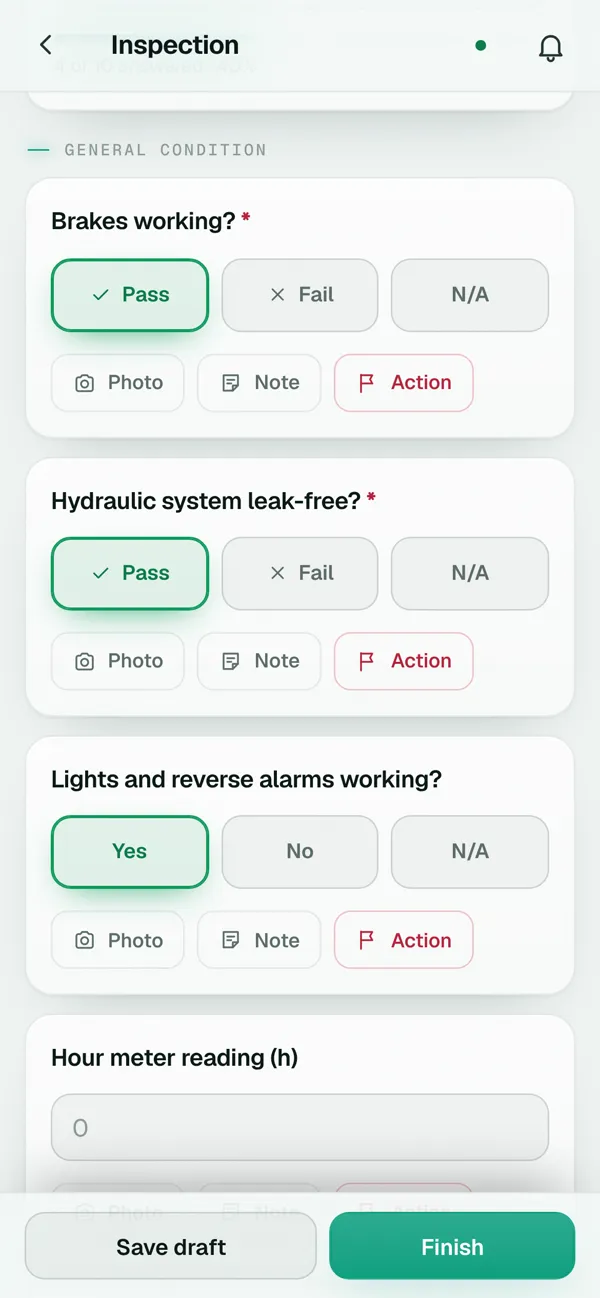
Checklist on the phonePass, Fail or N/A on every question, with a photo, note or action one tap away. 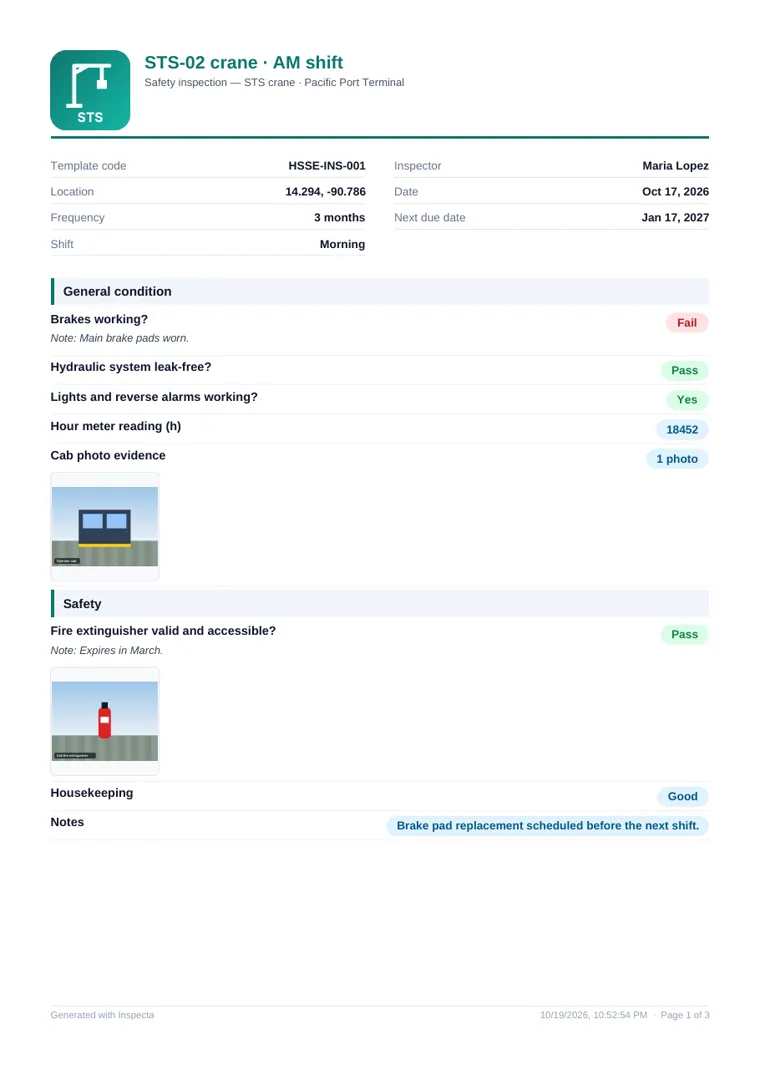
PDF reportHeader with your logo, results per question, photos and signatures. 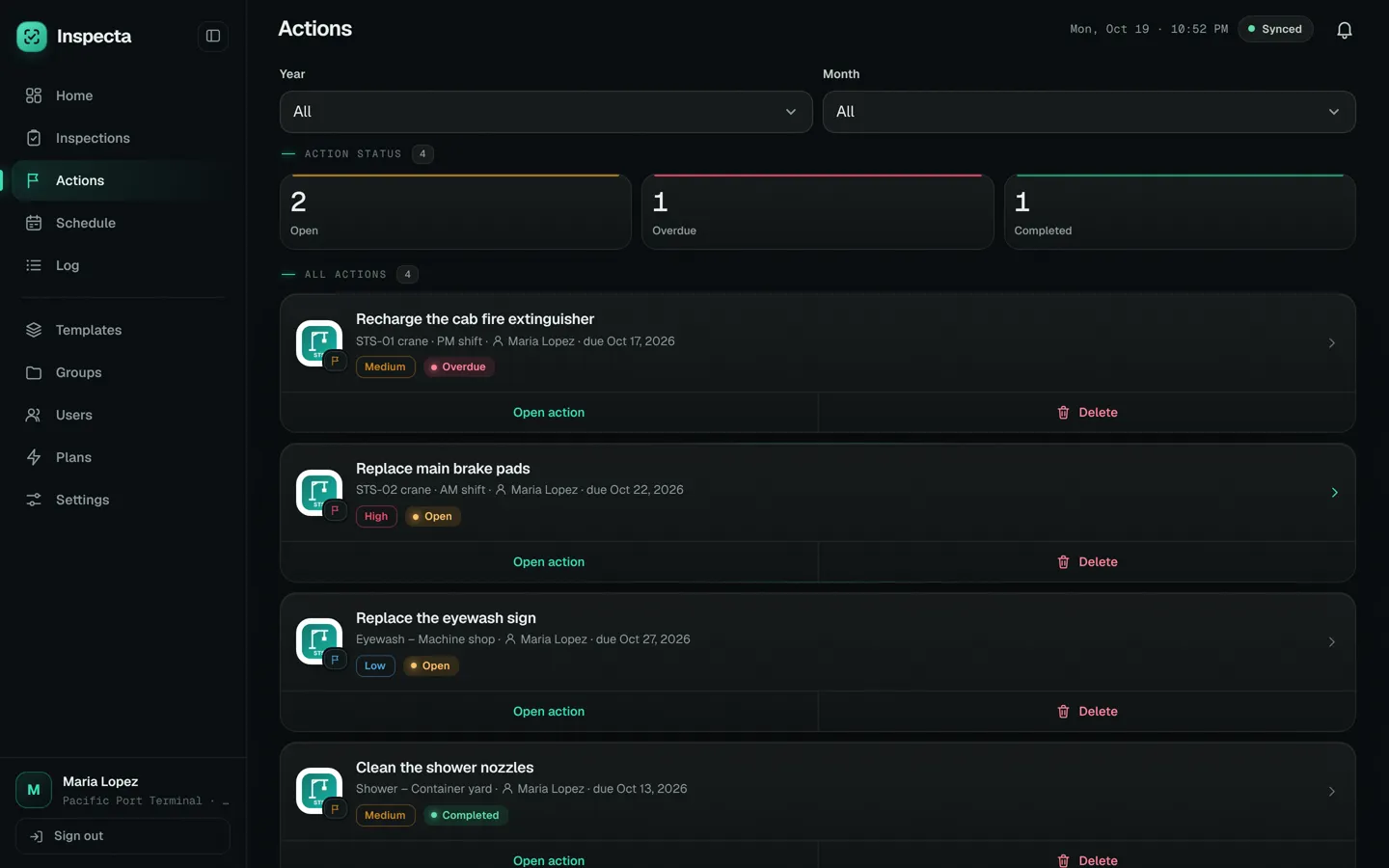
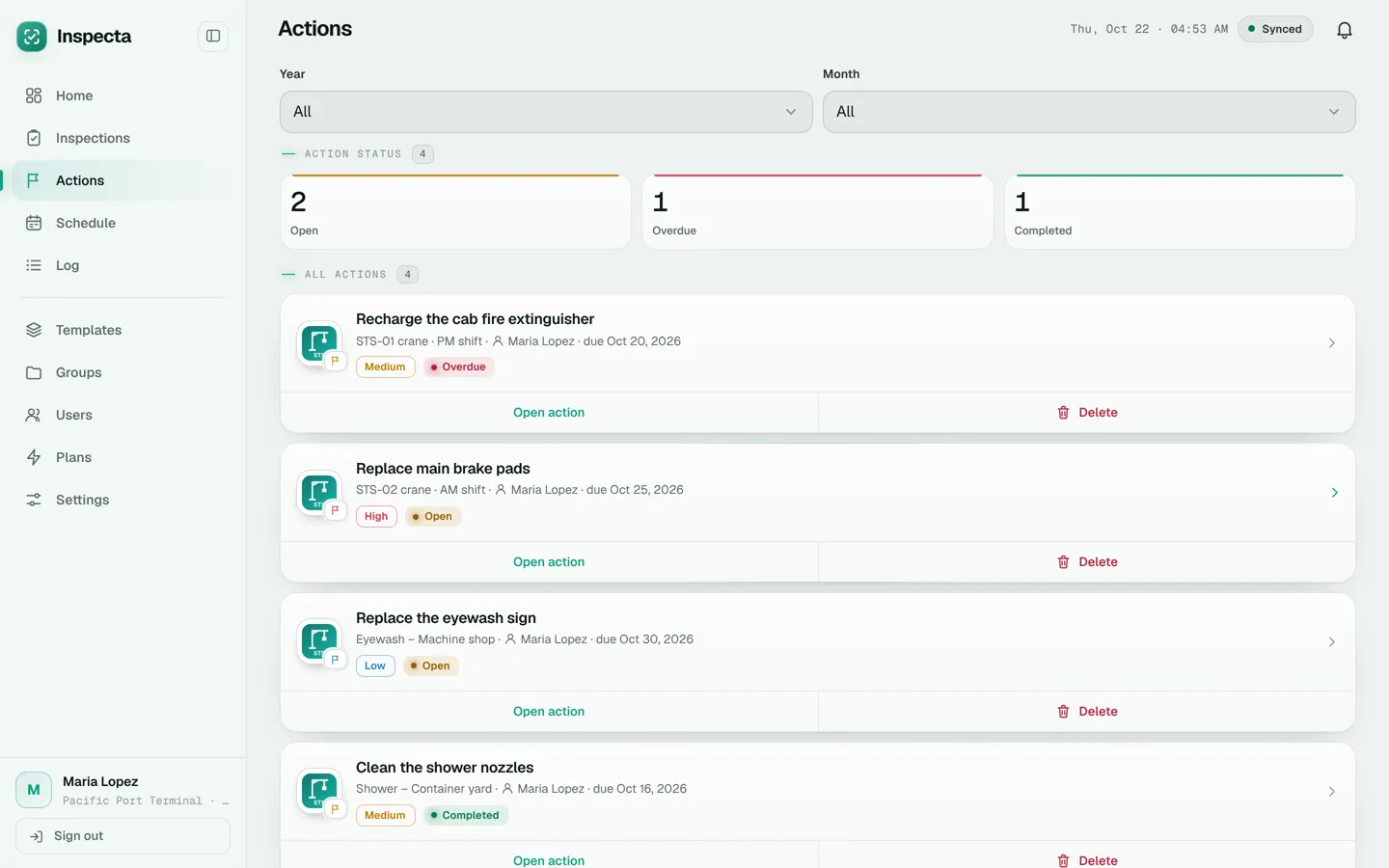
Corrective actionsEvery finding with priority, owner, due date and status. 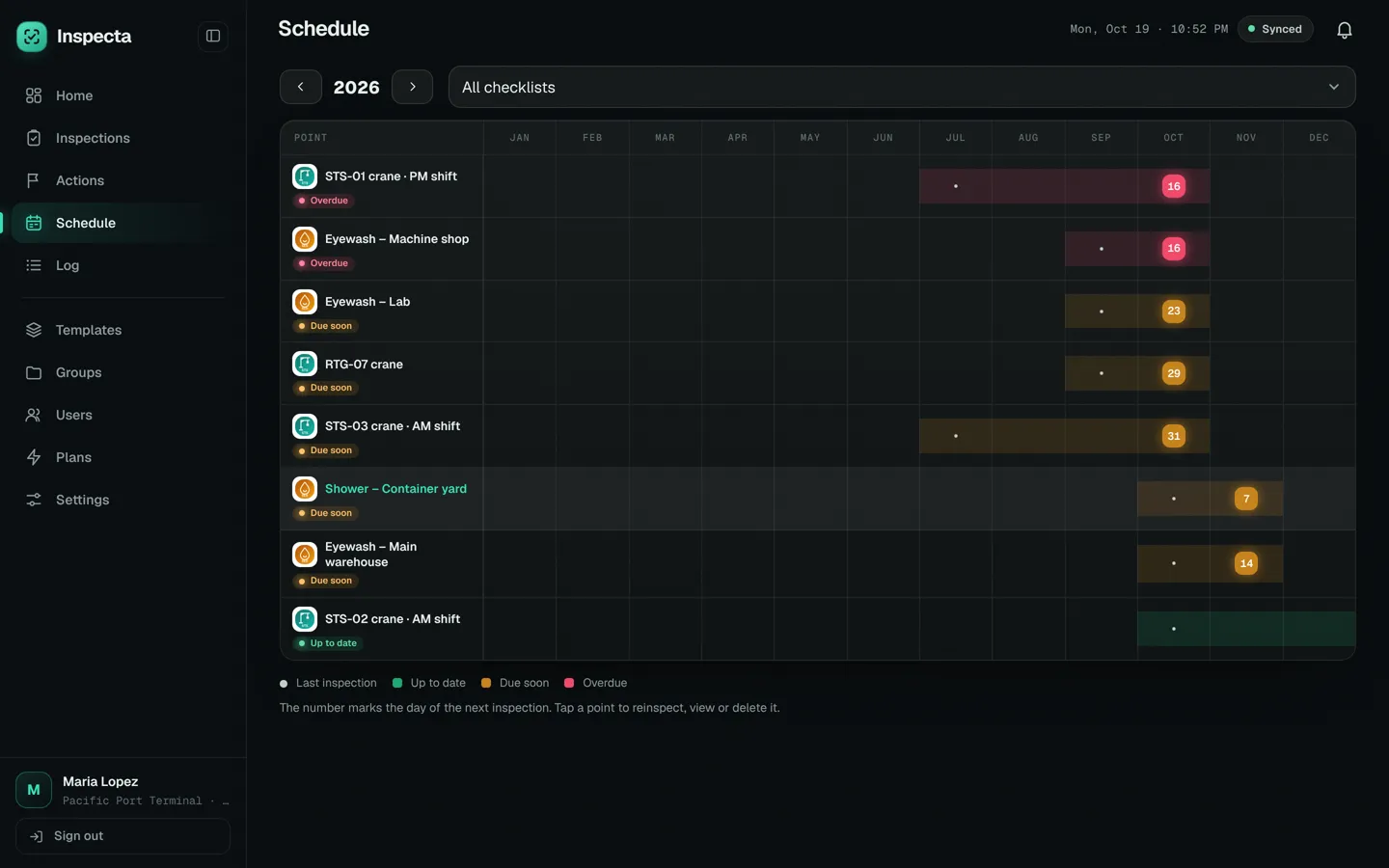
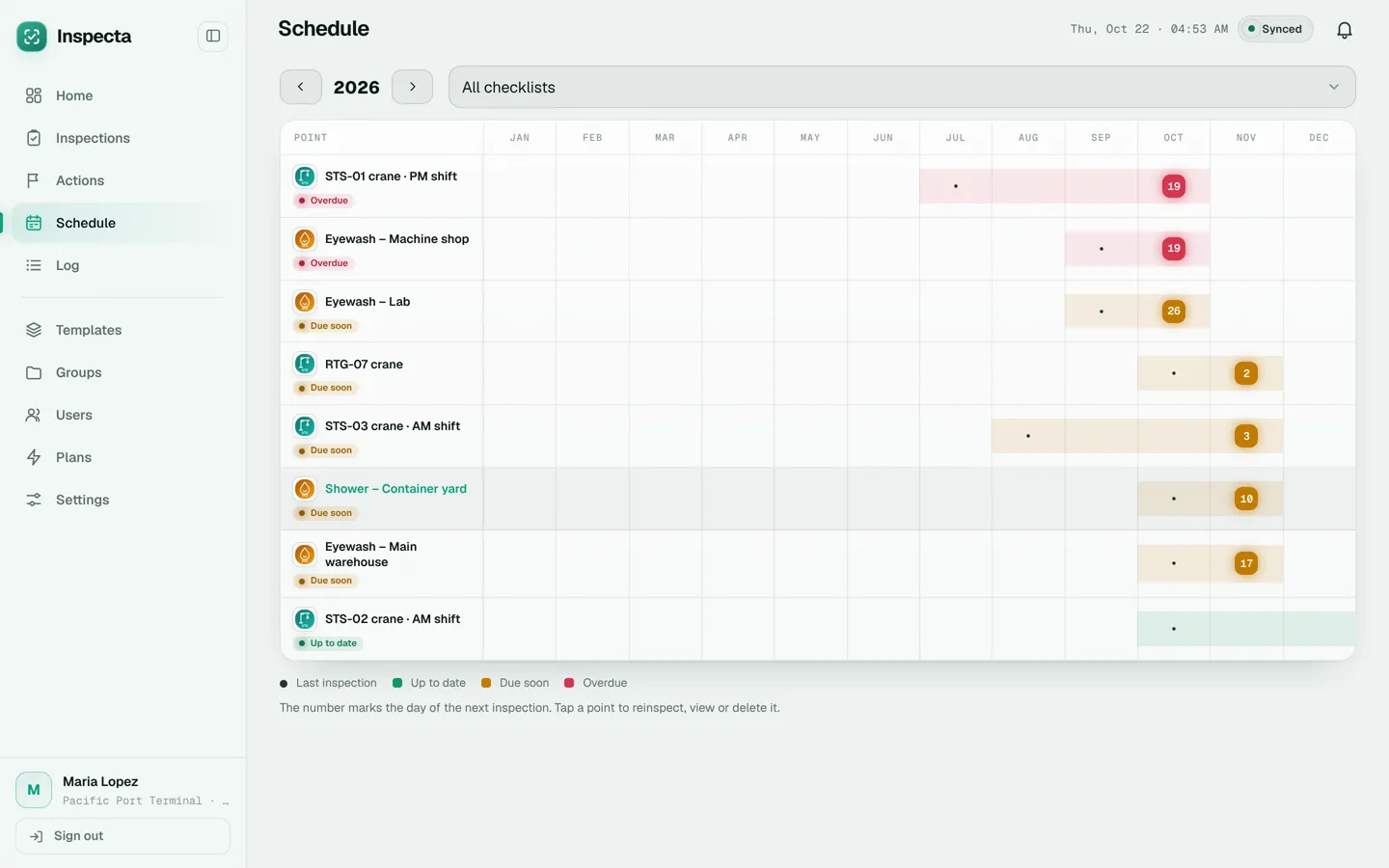
Yearly scheduleWhich point is due each month and which ones are already overdue. 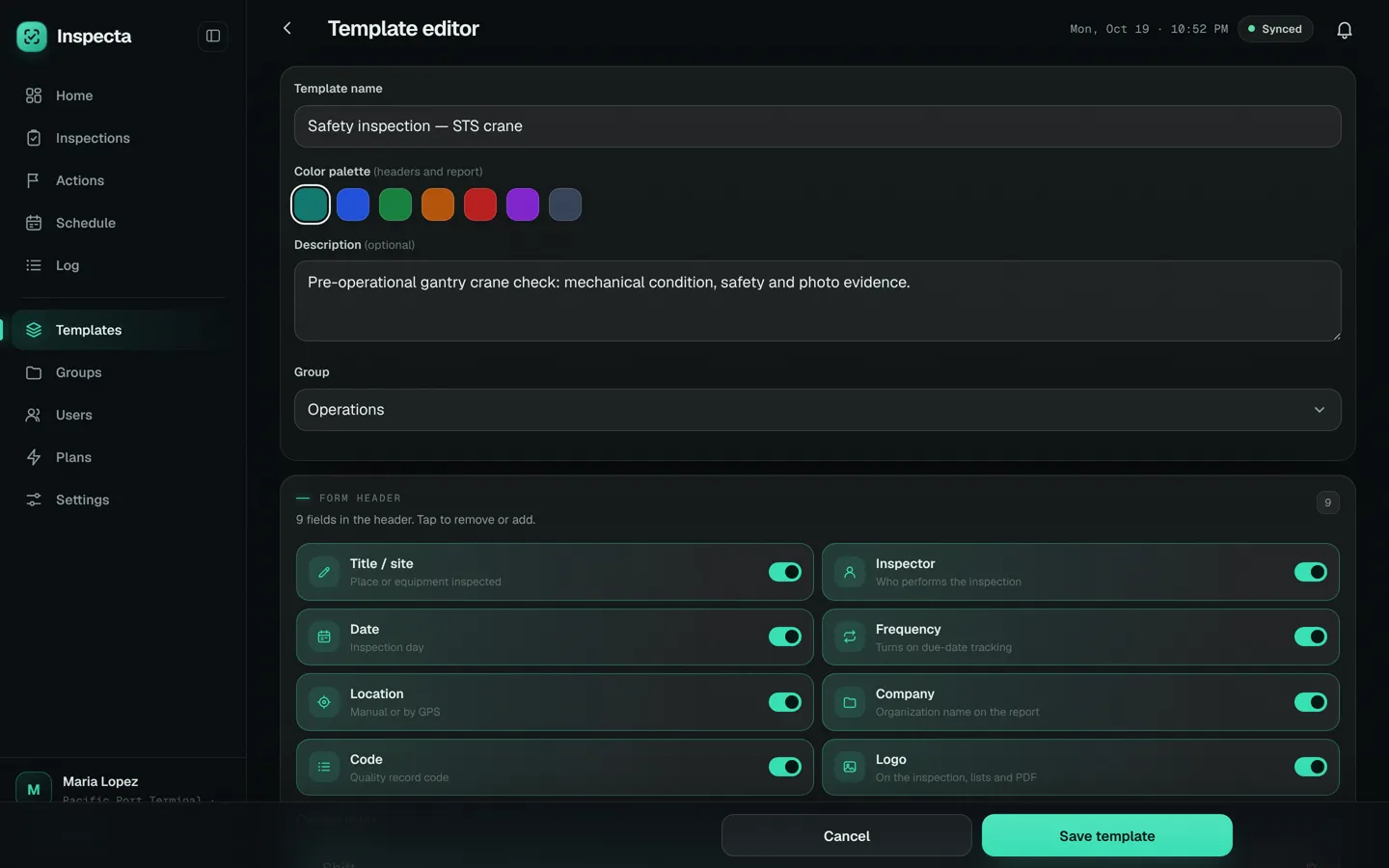
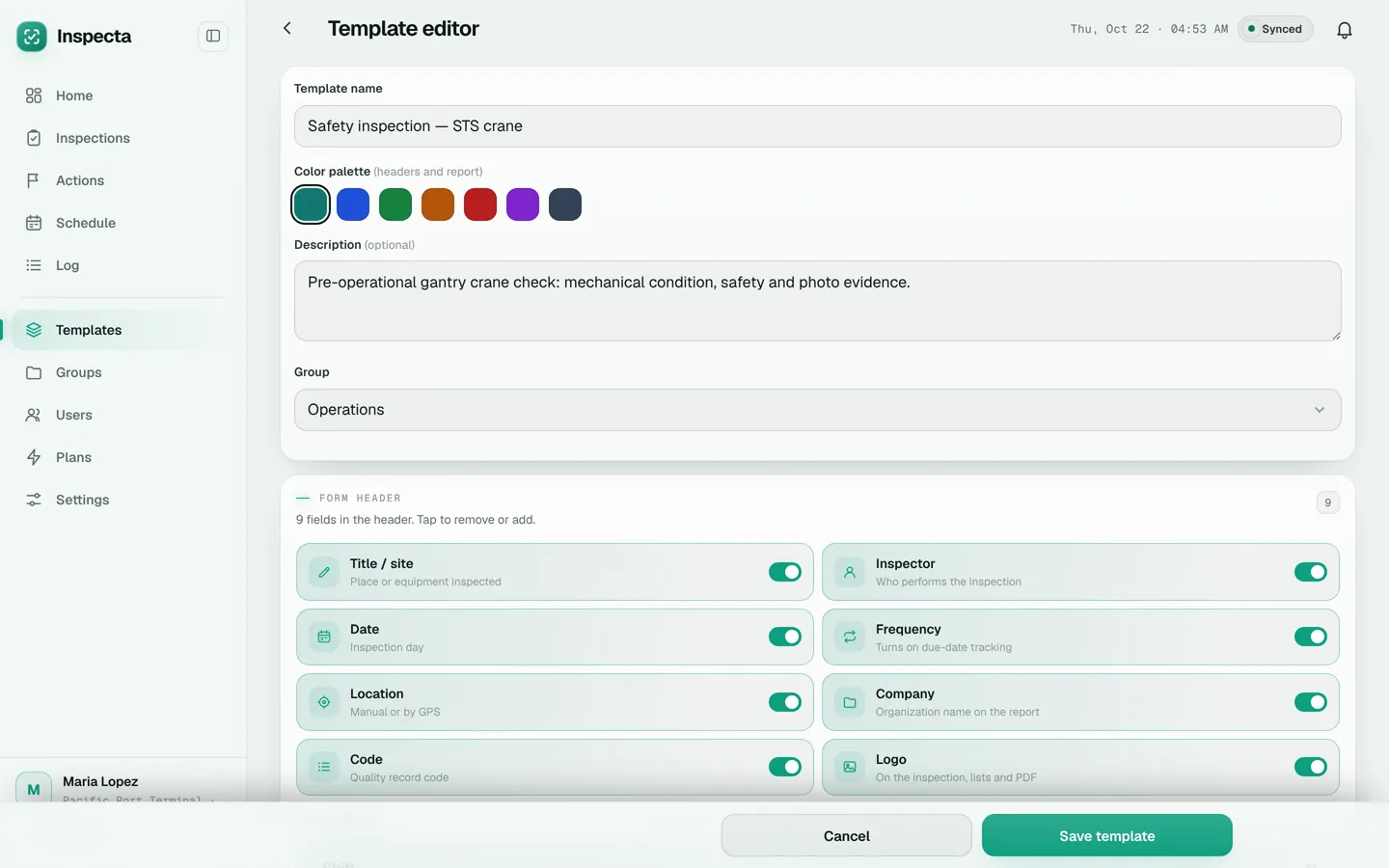
Checklist editorSections, questions and answer types, no coding.
How it works
Build the checklist once.
The admin creates the template with its sections, questions and header, starting from the samples every new account includes if they like.
Inspect in the field.
The inspector opens the checklist on a phone, answers, takes photos and signs. With no signal, everything is saved and uploaded later.
Share the report and close findings.
When you finish, the PDF is ready to send by email, WhatsApp or Drive. Anything that failed becomes an action with an owner and a due date.
What's included
Works without signal in the field.
Inspections, photos and signatures are saved on the device and sync by themselves when the connection is back.
Ten question types.
Pass/Fail, Yes/No/N/A, checkbox, short and long text, number, dropdown, date, photos and signature.
A header that fits you.
Site, inspector, date, frequency, GPS or typed location, company, record code and logo.
PDF report in one tap.
With your logo, photos and signatures. Share it from the phone or email it when you finish.
Findings with an owner and a date.
A Fail answer opens a corrective action with owner, due date, priority and evidence.
Due dates under control.
Frequency from 1 month to 5 years per point: current, due within 30 days or overdue.
Roles for the team.
Admins create checklists and users; inspectors fill in the inspections.
Who it's for
Not just safety: any team that inspects the same things every so often and needs organized evidence:
Industrial inspections and HSE auditsInspections and audits for any area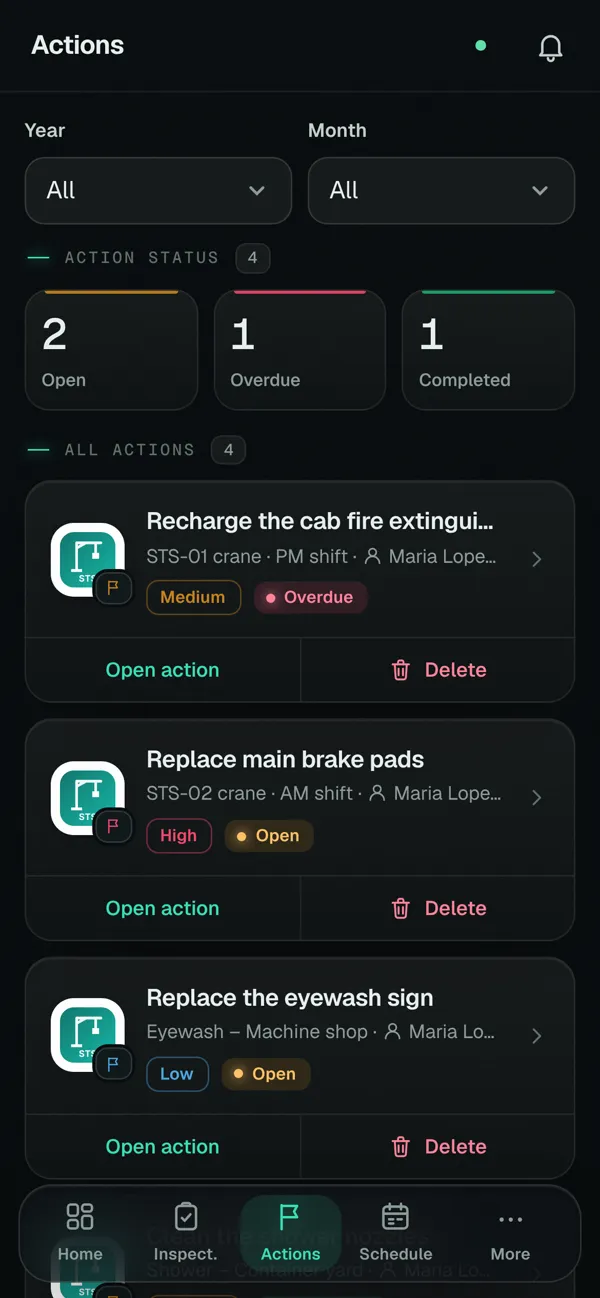
- Industrial safety and HSE
- Inspections of equipment, areas and working conditions, with photos and the inspector's signature.
- Maintenance
- Periodic checks of machinery and equipment with the next date under control.
- Ports, terminals and yards
- Cranes, mobile equipment and operating areas where the signal drops.
- Plants and warehouses
- Emergency equipment, eyewash stations, showers and critical points checked every month.
- Quality, food safety and environment
- Checks and internal audits you need to be able to prove with evidence.
- Supervisors and internal auditors
- Walkthroughs with a checklist and a report to hand in the same day.
Frequently asked questions
What is Inspecta?
Inspecta is inspection and audit software for field teams in any area that needs traceability: safety, quality, maintenance, food safety, environment and more. Use it to build checklists, fill them in on a phone with photos, signatures and location, get the PDF report and follow up the corrective actions for every finding.
Does it work without internet?
Yes. You can open checklists, answer, take photos and sign offline. Everything is saved on the device and syncs to the cloud when the connection is back. You do need a connection to sign in the first time.
Can I build my own checklists?
Yes. The admin builds each template with sections, ten question types and a configurable header. Every new account includes 2 sample checklists to get started.
How do I share an inspection report?
When you finish, Inspecta creates a PDF with the header, answers, photos and signatures. Share it from the phone by WhatsApp, email or Drive, or email it to several addresses from the app.
What happens when a point fails?
From that question you create a corrective action with a title, owner, due date and priority. The action stays open until it's completed, and shows as overdue if the date passes.
Which devices does it run on?
In the browser on computers and phones, and as an Android app installed from inspectasafety.com. The Android app updates itself.
How long are inspections kept?
They are kept in the cloud for 4 years and then deleted along with their photos. You can export a JSON backup at any time from Settings.
How much does it cost?
There is a free 20-day trial with every feature. After that, Pro costs $22.40 per month (Q173.60) and Advanced $33.60 (Q263.20), taxes included.
Start inspecting today.
Create a free accountCreate your admin account, get 2 sample checklists and 20 days with every feature. No credit card.